@

PPTX 5.5 MB Free download

Page preview (5 pages)

Scroll down 👇

1
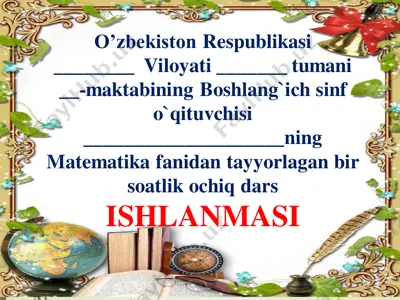
3 ways to record powerpoint from within powerpoint from within camtasia studio during recording 1. click record to launch the slideshow. 2. check the microphone input level. when ready, select the click to begin recording button or use the hotkeys. 3. control the powerpoint presentation normally during the recording. 4. press esc to stop recording. 3-sinfda matematika darsiga xush kelibsiz dars shiori matematika fanlar ichra shoh, uning sirlaridan bo’lingiz ogoh darsning shiori: matematika fani fanlar ichra shoh, uning sirlaridan bo’lingiz ogoh cancelling a recording 1. press 2. when the save camtasia recording as… dialog box appears, click cancel. 3. when the dialog box appears asking if you are sure you want to delete the current video capture, click yes. after recording 1. at the end of the recording; choose whether to stop recording or continue recording. if you choose to continue recording, click the stop recording button in the powerpoint …
2
5.png picture36.png picture37.png picture38.png picture39.png picture40.jpeg picture41.png picture42.png picture43.png picture44.png picture45.png picture46.jpeg picture47.png picture48.png picture49.png picture50.png picture51.png picture52.jpeg picture53.jpeg picture54.jpeg picture55.png picture56.png picture57.jpeg picture58.png picture59.png picture60.png picture61.jpeg picture62.png picture63.png picture64.jpeg picture65.png picture66.png picture67.png picture68.png picture69.jpeg picture70.png picture71.png picture72.jpeg picture73.png picture74.png picture75.png picture76.png picture77.png picture78.png picture79.png picture80.png picture81.png picture82.jpeg picture83.png picture84.jpeg picture85.png picture86.jpeg picture87.png picture88.png picture89.png picture90.png picture91.png picture92.png picture93.png picture94.png picture95.png picture96.jpeg
3
@ - Page 3
4
@ - Page 4
5
@ - Page 5

Want to read more?

Download the full file for free via Telegram.

Download full file

About "@"

3 ways to record powerpoint from within powerpoint from within camtasia studio during recording 1. click record to launch the slideshow. 2. check the microphone input level. when ready, select the click to begin recording button or use the hotkeys. 3. control the powerpoint presentation normally during the recording. 4. press esc to stop recording. 3-sinfda matematika darsiga xush kelibsiz dars shiori matematika fanlar ichra shoh, uning sirlaridan bo’lingiz ogoh darsning shiori: matematika fani fanlar ichra shoh, uning sirlaridan bo’lingiz ogoh cancelling a recording 1. press 2. when the save camtasia recording as… dialog box appears, click cancel. 3. when the dialog box appears asking if you are sure you want to delete the current video capture, click yes. after …

PPTX format, 5.5 MB. To download "@", click the Telegram button on the left.
Tags: @ PPTX Free download Telegram